100% Free • No Login or Registration Required
Guard Your Containers. Instant Clarity in One Click.
On-demand container image security: SBOM generation, OSV vulnerability scans, and EOL checks — no pipeline setup, no sign-up.
Visibility
Complete Image Visibility, Instantly Linked
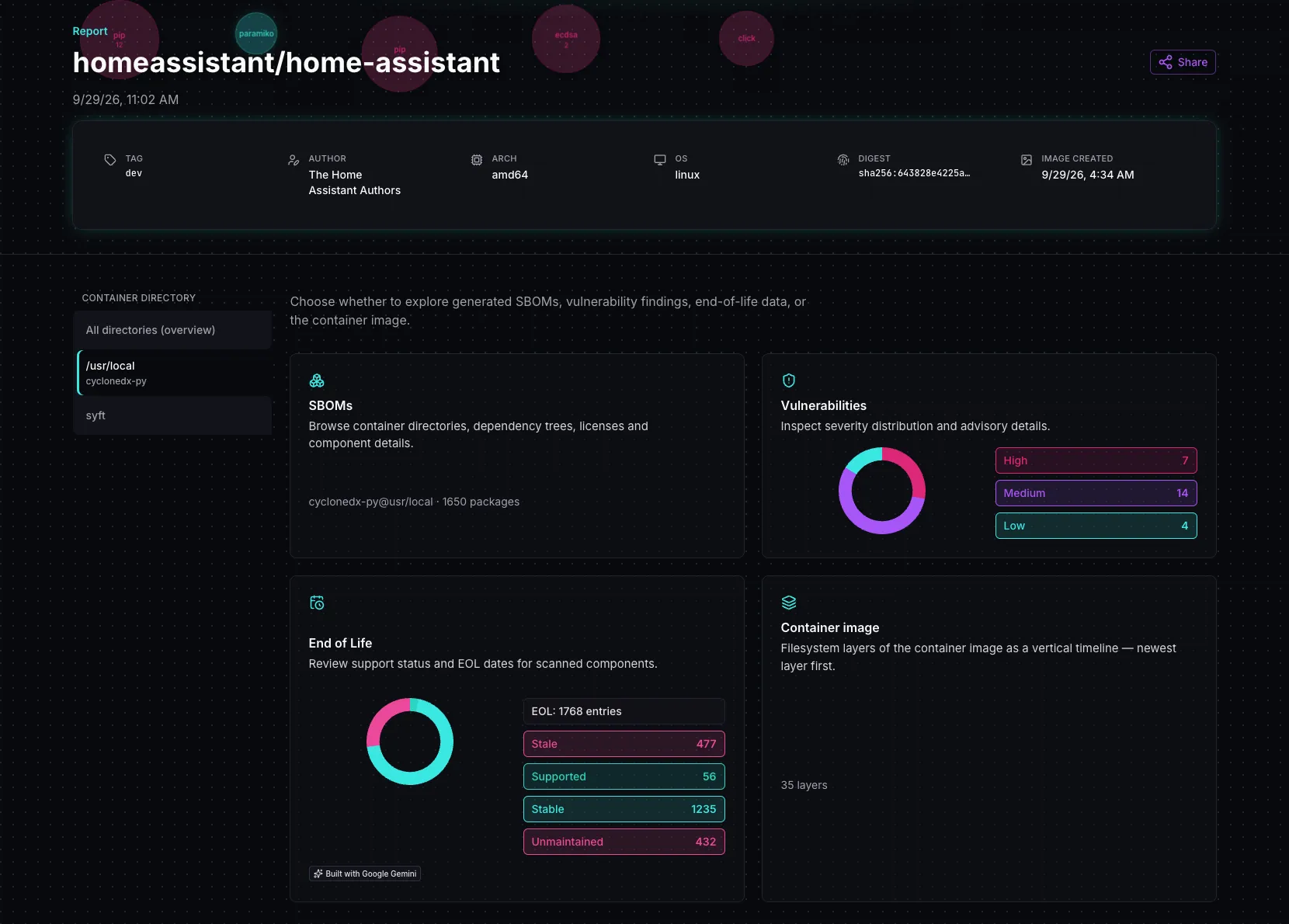
Every scan delivers an immediate, unified snapshot of your container at a single point in time.
SBOM Deep-Dive
Extract multi-generator CycloneDX SBOMs on demand. Map dependency trees, audit licenses, and trace components straight to vulnerabilities.
Vulnerability Threat Radar
Catch threats before deployment. Filter OSV findings by severity with actionable paths to remediation.
EOL & Support Status
Check support windows and end-of-life dates for components in the image.
Container image
Reconstruct build history from image layers — instructions as a timeline, copyable as a build script.
Share reports
Copy a full report link for the interactive report — or a summary snapshot with the key findings that lives entirely in the link.
PDF export
Download an SBOM report as PDF — with packages, license overview, and vulnerabilities at scan time.
Tooling
Analysis flow
Kennel picks the best generators for what it finds in the image, then checks packages against open databases. First it builds SBOMs; from there it runs an OSV match and EOL resolution — both based on those SBOM results.
SBOM
Best-of SBOM generators for the detected environment or programming language
Depending on interpreters and package managers in the image, Kennel selects matching SBOM generators and returns CycloneDX SBOMs per discovered path.
OSV
Open Source Vulnerabilities database
Packages from the SBOMs are matched against Google's OSV database — an open vulnerability corpus covering many ecosystems.
EOL
End-of-life resolver
Kennel resolves support status and end-of-life dates for components found in the image.
Security
Hosted in Germany • Privacy by Design
Your Container image and infrastructure security remain strictly protected:
- German InfrastructureHosted 100% in secure German data centers bound by strict European data sovereignty laws.
- Zero Persistent StorageContainer rootfs images are extracted in-memory, analyzed, and never saved to persistent disk.
- Temporary Caching OnlyScan metadata is cached strictly to deliver your shareable report URL, then automatically purged.
- Ephemeral CredentialsPrivate registry pull secrets are evaluated strictly in-memory during retrieval and never logged or stored.
- No Marketing CookiesNo advertising or marketing tracking — we do not set marketing cookies and do not build user profiles.
- No AI TrainingYour scan data and container contents are never used to train AI models — neither by us nor by third parties.
Use cases
Ship with Unshakable Confidence
For teams that need to know what is actually inside the image before rollout — not just the base tag in the container image.
- Pre-Flight SecurityInspect container images manually before rollout and prioritize findings by fixability.
- Supply Chain TruthCross-verify dependencies and licenses across multiple industry-standard generators rather than trusting a single tool export.
- EOL checksSee which components are still supported and which have reached end of life.
Pipeline
Precision Execution Engine
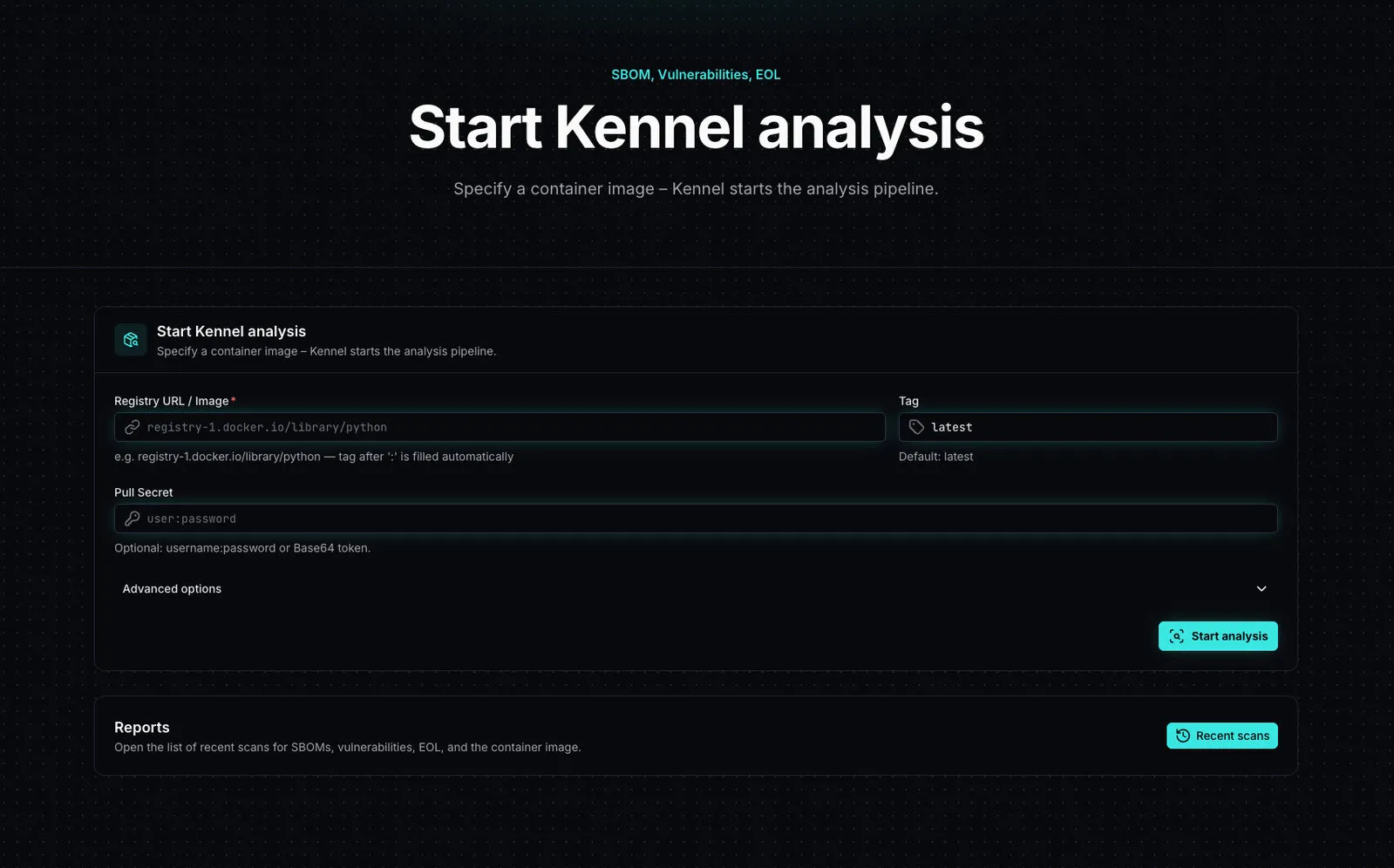
Paste your registry URL, hit scan, and watch Kennel execute a real-time deep inspection:
Phase 1
Secure Pull
Your image is pulled securely (including private registries) and the rootfs is unpacked.
Phase 2
Smart Discovery
Instantly pinpoints interpreters, software packages, and optimal scanners.
Phase 3
Multi-Tool SBOM
Builds targeted CycloneDX SBOMs with the generators that fit the discovered environments.
Phase 4
OSV Threat Check
Cross-references every package against Google's open-source OSV database.
FAQ
Common questions
The points that usually come up before the first scan.
A software bill of materials lists components, versions, licenses, and relationships. Kennel produces CycloneDX SBOMs per discovered generator and path in the image.
Container images from Docker Hub, private registries, and similar OCI registries. You provide registry URL, tag, and architecture; pull secret and insecure TLS if needed.
EOL resolves support status and end-of-life dates for components in the image. It starts automatically with the report so you can see which packages are still supported.
Analysis runs on Kennel. The recent-scans list stays local in this browser. Reports are reachable via the report link, independent of that list.
Yes. Use the share button to copy the full report link — recipients open the same interactive report including SBOM, vulnerabilities, EOL, and container image pages while it remains on the server. Or share a summary snapshot: the key findings live entirely in the link and need no server.
Yes. For each SBOM environment you can export a PDF report — with image metadata, package list, license overview, and the vulnerabilities known at scan time.
Scan an image now
Registry URL, tag, and architecture are enough to start. Add credentials when you need them.